.jpg) USB-C Hubs & Docking Stations
USB-C Hubs & Docking Stations
.jpg) Universal Travel Adapter
Universal Travel Adapter
.png) GaN Charger
GaN Charger
 Magsafe Wireless Charger
 Power Banks
.png) Smart Switches
Smart Switches
 Wifi Router
 UPS for Routers
 Smart Plugs
.png) Smart power strips
Smart power strips
 Extension Boards
 Surge Protector
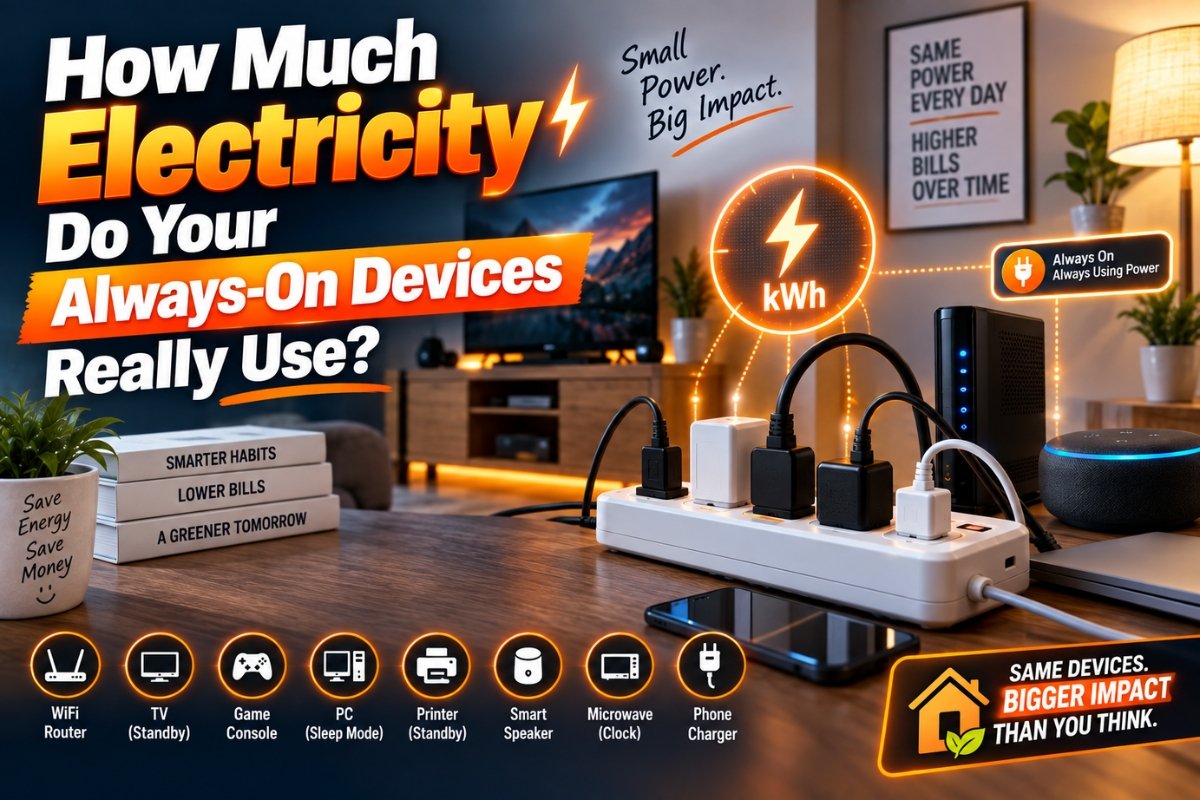
Discover how much electricity your always-on devices may consume through standby or “vampire” power. Learn which electronics use energy when idle and simple ways to reduce unnecessary electricity consumption at home.
You switch off your television before going to bed. Your laptop is closed, the gaming console is sitting idle, and your phone charger is still plugged into the wall.
Everything looks switched off.
But are your devices really using zero electricity?
Not necessarily.
Many electronic devices continue consuming a small amount of electricity even when they are not actively being used. This is commonly called standby power, phantom power, or vampire energy. The amount used by one device may seem insignificant, but when several electronics remain connected 24 hours a day, the total can become surprisingly noticeable.
According to Lawrence Berkeley National Laboratory, almost all modern electrical products can consume some standby power, although many newer products are designed to use very little energy in standby.
So, how much electricity do your always-on devices really use, and which ones are worth paying attention to?
Let's take a closer look.
What Is Standby Power?
Standby power is electricity consumed by a device when it isn't performing its main function but remains connected to the power supply.
For example, your television may be switched off but still waiting for a signal from the remote. A smart speaker needs power to listen for commands. A printer may remain ready to receive a print job, while your WiFi router stays powered because it needs to maintain your internet connection.
Some standby consumption is necessary for useful features. However, electricity can also be consumed by devices that you rarely use.
This is why simply pressing the power button doesn't always mean the device is using no electricity.
How Much Electricity Does One Watt Use?
The easiest way to understand standby electricity is to look at watts.
If a device continuously consumes 1 watt, the annual electricity consumption would be:
1 watt × 24 hours × 365 days = 8.76 kWh per year.
That may not sound like much.
But imagine you have several devices continuously consuming electricity. A few watts here and there can gradually add up.
For example, a device consuming 5 watts continuously would use approximately 43.8 kWh per year.
The actual cost depends on your electricity tariff, so there isn't one universal answer to how much standby electricity will add to your bill.
The important point is that continuous consumption adds up over time.
Always-On Devices: Quick Comparison
The table below provides a practical way to think about common household electronics.
|
Device |
Standby / Always-On Consumption |
Why It Stays Powered |
Switch It Off? |
|
WiFi Router |
Varies by model |
Maintains internet connectivity |
Usually keep on |
|
Smart Speaker |
Generally low |
Waits for voice commands |
Optional |
|
Television |
Generally low |
Remote and quick-start functions |
Consider switching off |
|
Printer |
Varies by model |
Remains ready for printing |
Yes, if rarely used |
|
Desktop PC |
Depends heavily on mode |
Sleep, standby, or active functions |
Use sleep mode |
|
Gaming Console |
Varies by power mode |
Quick resume and network functions |
Use energy-saving mode |
|
Microwave |
Usually low |
Clock and electronic controls |
Optional |
|
Streaming Device |
Varies by model |
Quick startup and network connectivity |
Consider switching off |
Important: There is no single electricity figure for an entire device category. Actual consumption varies depending on the model, settings, age, operating mode, and manufacturer.
If you want accurate numbers for your home, measuring the device directly is much better than relying on an estimate.
Which Always-On Devices Should You Check?
1. Television and Entertainment Equipment
Modern televisions can consume a small amount of electricity while in standby. Certain features, such as quick startup, remote functionality, voice control, or network connectivity, may require the TV to remain partially powered.
Streaming boxes, set-top boxes, and other entertainment equipment can also contribute to your home's idle electricity consumption.
If you rarely use a particular entertainment device, completely switching it off can eliminate its standby consumption.
2. Computers and Monitors
A computer that remains fully powered while nobody is using it can consume considerably more electricity than one that enters sleep mode.
Instead of leaving your desktop computer running all night, configure automatic sleep settings.
You can also set your monitor to switch off after a period of inactivity.
For people who work from home, this is particularly useful because computers may remain powered for long periods between tasks.
3. Printers
Printers are often forgotten.
You may print something once or twice a week but leave the printer connected and powered every day.
If you use your printer infrequently, switching it off after use can prevent unnecessary standby consumption.
4. WiFi Routers
Your WiFi router is slightly different from an unused printer or television.
A router generally needs to remain powered because it provides continuous network connectivity to your home.
Phones, laptops, smart TVs, cameras, smart speakers, and other connected devices may depend on it.
Therefore, switching your router off simply to save a small amount of electricity may not be worthwhile if you need your internet connection throughout the day.
However, an old secondary router or unused networking device doesn't need to remain powered indefinitely.
5. Smart Speakers
Smart speakers are designed to stay ready for voice commands.
That means they naturally consume some electricity while waiting.
For many households, this is an acceptable trade-off for convenience. But if you have several smart speakers that are rarely used, measuring their consumption can help you decide whether keeping all of them powered makes sense.
6. Kitchen Appliances
Microwaves, coffee makers, ovens, and other appliances with electronic displays can consume electricity while they are not actively cooking.
The amount is usually small for an individual appliance, but several appliances operating in standby can contribute to your overall idle load.
Why Does “Off” Not Always Mean Off?
This is where modern electronics become interesting.
Older electrical equipment often used a physical switch that completely disconnected the device from power.
Modern electronics frequently use electronic controls instead.
When you press the power button, the device may enter a low-power state instead of completely disconnecting from electricity.
That allows it to perform functions such as:
- Responding to a remote control
- Maintaining network connectivity
- Remembering settings
- Updating software
- Starting quickly
- Responding to voice commands
So when you're thinking about how much electricity your devices use, don't simply ask whether they're switched off. Ask what power state they're actually in.
How Can You Measure Standby Electricity?
Guessing is difficult because two products that look almost identical can have very different energy consumption.
One of the easiest ways to investigate your home's standby power consumption is with a plug-in electricity meter.
Connect the meter between the wall outlet and the device, then observe how much electricity it consumes while operating normally and while sitting idle.
This gives you a much clearer picture of where electricity is actually going.
The U.S. Department of Energy provides guidance on measuring standby power and explains that standardized measurement is important because products can have different operating conditions.
Instead of unplugging everything in your home, start by measuring the devices that remain powered for the longest periods.
How to Reduce Unnecessary Electricity Consumption
You don't need to unplug every electronic device every night.
A better approach is to identify unnecessary consumption.
Use Sleep Modes
Set computers, monitors, televisions, and gaming equipment to enter low-power modes automatically when they're inactive.
Switch Off Rarely Used Devices
Printers, spare monitors, old entertainment equipment, and unused electronics don't necessarily need to remain powered 24/7.
Use Smart Plugs
A smart plug can help automate when certain devices receive electricity.
For example, you could schedule selected entertainment equipment to switch off automatically overnight.
However, always check that the smart plug is appropriate for the device and electrical load before using it.
Group Devices Carefully
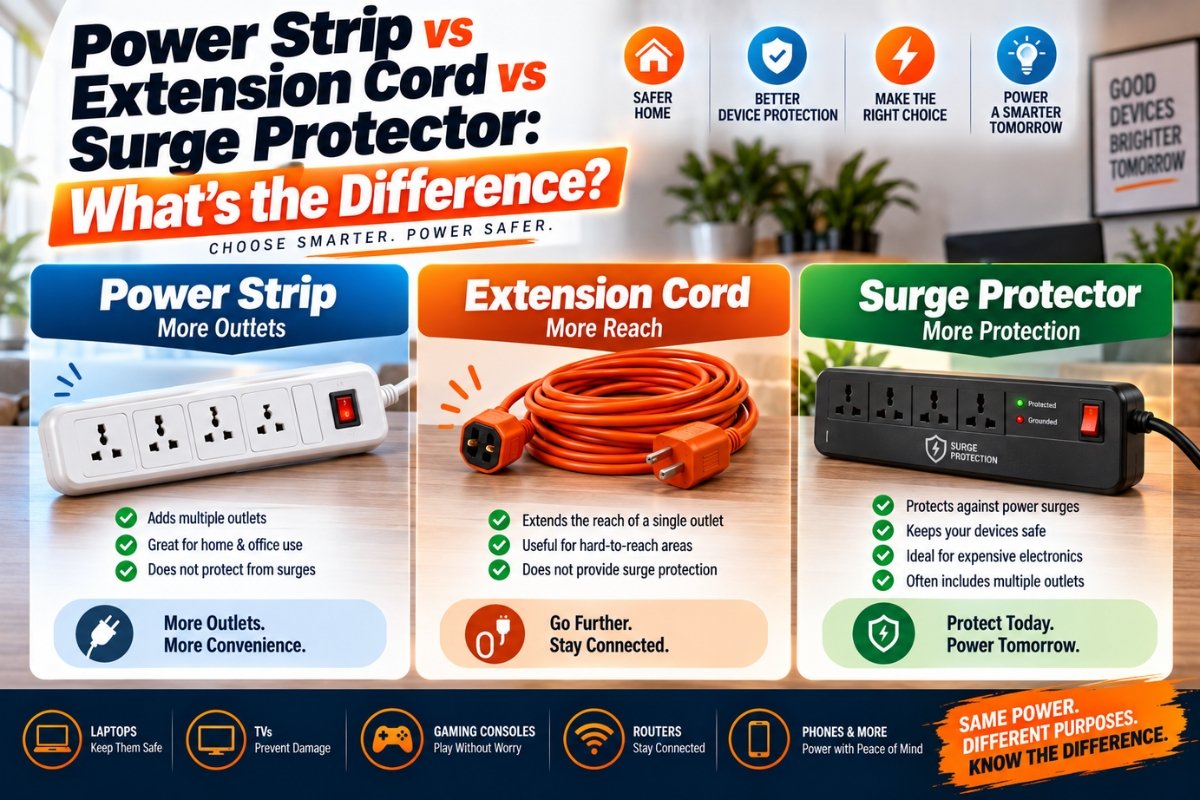
A properly rated power strip can make it easier to switch several related devices off together, such as a monitor, speakers, and computer accessories.
Don't use this approach for equipment that needs continuous power.
Should You Turn Off Your WiFi Router at Night?
This depends on your lifestyle.
If you don't need internet connectivity overnight, switching off networking equipment can reduce its electricity consumption.
However, many people use their internet connection for security cameras, smart-home devices, remote access, downloads, updates, or other services.
If your router needs to remain active, don't worry about switching it off simply because you're trying to eliminate every standby watt.
Instead, focus your attention on devices that are consuming electricity without providing a useful function.
Where Pluxeron Can Help
If you're looking for products that can make your home power and connectivity setup more convenient, you can explore Pluxeron.
Pluxeron offers products and solutions related to WiFi connectivity, router power backup, smart plugs, power strips, extension boards, surge protection, and other technology accessories.
These products can be useful when creating a more organized home technology setup. For example, a smart plug can help automate selected devices, while a suitable router backup solution can help maintain connectivity during short power interruptions.
The important thing is to choose products based on your actual requirements instead of assuming that the most expensive option will always be the best.
Is Standby Electricity Really Worth Worrying About?
Yes—but don't focus on the wrong things.
A common mistake is worrying about a single phone charger while ignoring major electricity-consuming appliances such as air conditioners, water heaters, refrigerators, and other high-demand equipment.
Standby electricity is most useful to address when you have multiple devices continuously consuming power or when an unnecessary device remains active for long periods.
The goal isn't to eliminate every single watt.
It's to reduce unnecessary electricity consumption without making your home inconvenient.
Final Thoughts
So, how much electricity do your always-on devices really use?
There isn't one universal answer.
The actual amount depends on the device, its age, settings, power mode, and how long it remains connected. Some modern electronics consume very little in standby, while others can use considerably more depending on their functions.
The smartest approach is simple: measure first, identify the biggest unnecessary loads, and then decide what should be switched off or automated.
Keep essential devices such as your WiFi router powered if you need continuous connectivity. Put computers and entertainment equipment into sleep or energy-saving modes. Switch off rarely used electronics, and consider smart plugs where scheduled control makes sense.
One device may only consume a small amount of electricity while sitting idle. But multiply that by several devices, every hour, every day, and the number becomes worth paying attention to.
A more energy-conscious home doesn't require sacrificing convenience. It simply means being smarter about which devices need power—and which ones don't.
How Much Electricity Do Your Always-On Devices Really Use?
You switch off your television before going to bed. Your laptop is closed, the gaming console is sitting idle, and your phone charger is still plugged into the wall.
Everything looks switched off.
But are your devices really using zero electricity?
Not necessarily.
Many electronic devices continue consuming a small amount of electricity even when they are not actively being used. This is commonly called standby power, phantom power, or vampire energy. The amount used by one device may seem insignificant, but when several electronics remain connected 24 hours a day, the total can become surprisingly noticeable.
According to Lawrence Berkeley National Laboratory, almost all modern electrical products can consume some standby power, although many newer products are designed to use very little energy in standby.
So, how much electricity do your always-on devices really use, and which ones are worth paying attention to?
Let's take a closer look.
What Is Standby Power?
Standby power is electricity consumed by a device when it isn't performing its main function but remains connected to the power supply.
For example, your television may be switched off but still waiting for a signal from the remote. A smart speaker needs power to listen for commands. A printer may remain ready to receive a print job, while your WiFi router stays powered because it needs to maintain your internet connection.
Some standby consumption is necessary for useful features. However, electricity can also be consumed by devices that you rarely use.
This is why simply pressing the power button doesn't always mean the device is using no electricity.
How Much Electricity Does One Watt Use?
The easiest way to understand standby electricity is to look at watts.
If a device continuously consumes 1 watt, the annual electricity consumption would be:
1 watt × 24 hours × 365 days = 8.76 kWh per year.
That may not sound like much.
But imagine you have several devices continuously consuming electricity. A few watts here and there can gradually add up.
For example, a device consuming 5 watts continuously would use approximately 43.8 kWh per year.
The actual cost depends on your electricity tariff, so there isn't one universal answer to how much standby electricity will add to your bill.
The important point is that continuous consumption adds up over time.
Always-On Devices: Quick Comparison
The table below provides a practical way to think about common household electronics.
|
Device |
Standby / Always-On Consumption |
Why It Stays Powered |
Switch It Off? |
|
WiFi Router |
Varies by model |
Maintains internet connectivity |
Usually keep on |
|
Smart Speaker |
Generally low |
Waits for voice commands |
Optional |
|
Television |
Generally low |
Remote and quick-start functions |
Consider switching off |
|
Printer |
Varies by model |
Remains ready for printing |
Yes, if rarely used |
|
Desktop PC |
Depends heavily on mode |
Sleep, standby, or active functions |
Use sleep mode |
|
Gaming Console |
Varies by power mode |
Quick resume and network functions |
Use energy-saving mode |
|
Microwave |
Usually low |
Clock and electronic controls |
Optional |
|
Streaming Device |
Varies by model |
Quick startup and network connectivity |
Consider switching off |
Important: There is no single electricity figure for an entire device category. Actual consumption varies depending on the model, settings, age, operating mode, and manufacturer.
If you want accurate numbers for your home, measuring the device directly is much better than relying on an estimate.
Which Always-On Devices Should You Check?
1. Television and Entertainment Equipment
Modern televisions can consume a small amount of electricity while in standby. Certain features, such as quick startup, remote functionality, voice control, or network connectivity, may require the TV to remain partially powered.
Streaming boxes, set-top boxes, and other entertainment equipment can also contribute to your home's idle electricity consumption.
If you rarely use a particular entertainment device, completely switching it off can eliminate its standby consumption.
2. Computers and Monitors
A computer that remains fully powered while nobody is using it can consume considerably more electricity than one that enters sleep mode.
Instead of leaving your desktop computer running all night, configure automatic sleep settings.
You can also set your monitor to switch off after a period of inactivity.
For people who work from home, this is particularly useful because computers may remain powered for long periods between tasks.
3. Printers
Printers are often forgotten.
You may print something once or twice a week but leave the printer connected and powered every day.
If you use your printer infrequently, switching it off after use can prevent unnecessary standby consumption.
4. WiFi Routers
Your WiFi router is slightly different from an unused printer or television.
A router generally needs to remain powered because it provides continuous network connectivity to your home.
Phones, laptops, smart TVs, cameras, smart speakers, and other connected devices may depend on it.
Therefore, switching your router off simply to save a small amount of electricity may not be worthwhile if you need your internet connection throughout the day.
However, an old secondary router or unused networking device doesn't need to remain powered indefinitely.
5. Smart Speakers
Smart speakers are designed to stay ready for voice commands.
That means they naturally consume some electricity while waiting.
For many households, this is an acceptable trade-off for convenience. But if you have several smart speakers that are rarely used, measuring their consumption can help you decide whether keeping all of them powered makes sense.
6. Kitchen Appliances
Microwaves, coffee makers, ovens, and other appliances with electronic displays can consume electricity while they are not actively cooking.
The amount is usually small for an individual appliance, but several appliances operating in standby can contribute to your overall idle load.
Why Does “Off” Not Always Mean Off?
This is where modern electronics become interesting.
Older electrical equipment often used a physical switch that completely disconnected the device from power.
Modern electronics frequently use electronic controls instead.
When you press the power button, the device may enter a low-power state instead of completely disconnecting from electricity.
That allows it to perform functions such as:
- Responding to a remote control
- Maintaining network connectivity
- Remembering settings
- Updating software
- Starting quickly
- Responding to voice commands
So when you're thinking about how much electricity your devices use, don't simply ask whether they're switched off. Ask what power state they're actually in.
How Can You Measure Standby Electricity?
Guessing is difficult because two products that look almost identical can have very different energy consumption.
One of the easiest ways to investigate your home's standby power consumption is with a plug-in electricity meter.
Connect the meter between the wall outlet and the device, then observe how much electricity it consumes while operating normally and while sitting idle.
This gives you a much clearer picture of where electricity is actually going.
The U.S. Department of Energy provides guidance on measuring standby power and explains that standardized measurement is important because products can have different operating conditions.
Instead of unplugging everything in your home, start by measuring the devices that remain powered for the longest periods.
How to Reduce Unnecessary Electricity Consumption
You don't need to unplug every electronic device every night.
A better approach is to identify unnecessary consumption.
Use Sleep Modes
Set computers, monitors, televisions, and gaming equipment to enter low-power modes automatically when they're inactive.
Switch Off Rarely Used Devices
Printers, spare monitors, old entertainment equipment, and unused electronics don't necessarily need to remain powered 24/7.
Use Smart Plugs
A smart plug can help automate when certain devices receive electricity.
For example, you could schedule selected entertainment equipment to switch off automatically overnight.
However, always check that the smart plug is appropriate for the device and electrical load before using it.
Group Devices Carefully
A properly rated power strip can make it easier to switch several related devices off together, such as a monitor, speakers, and computer accessories.
Don't use this approach for equipment that needs continuous power.
Should You Turn Off Your WiFi Router at Night?
This depends on your lifestyle.
If you don't need internet connectivity overnight, switching off networking equipment can reduce its electricity consumption.
However, many people use their internet connection for security cameras, smart-home devices, remote access, downloads, updates, or other services.
If your router needs to remain active, don't worry about switching it off simply because you're trying to eliminate every standby watt.
Instead, focus your attention on devices that are consuming electricity without providing a useful function.
Where Pluxeron Can Help
If you're looking for products that can make your home power and connectivity setup more convenient, you can explore Pluxeron.
Pluxeron offers products and solutions related to WiFi connectivity, router power backup, smart plugs, power strips, extension boards, surge protection, and other technology accessories.
These products can be useful when creating a more organized home technology setup. For example, a smart plug can help automate selected devices, while a suitable router backup solution can help maintain connectivity during short power interruptions.
The important thing is to choose products based on your actual requirements instead of assuming that the most expensive option will always be the best.
Is Standby Electricity Really Worth Worrying About?
Yes—but don't focus on the wrong things.
A common mistake is worrying about a single phone charger while ignoring major electricity-consuming appliances such as air conditioners, water heaters, refrigerators, and other high-demand equipment.
Standby electricity is most useful to address when you have multiple devices continuously consuming power or when an unnecessary device remains active for long periods.
The goal isn't to eliminate every single watt.
It's to reduce unnecessary electricity consumption without making your home inconvenient.
Final Thoughts
So, how much electricity do your always-on devices really use?
There isn't one universal answer.
The actual amount depends on the device, its age, settings, power mode, and how long it remains connected. Some modern electronics consume very little in standby, while others can use considerably more depending on their functions.
The smartest approach is simple: measure first, identify the biggest unnecessary loads, and then decide what should be switched off or automated.
Keep essential devices such as your WiFi router powered if you need continuous connectivity. Put computers and entertainment equipment into sleep or energy-saving modes. Switch off rarely used electronics, and consider smart plugs where scheduled control makes sense.
One device may only consume a small amount of electricity while sitting idle. But multiply that by several devices, every hour, every day, and the number becomes worth paying attention to.
A more energy-conscious home doesn't require sacrificing convenience. It simply means being smarter about which devices need power—and which ones don't.